Developing and Launching a Featured Chrome Extension
Michael Mitrakos
4 min read
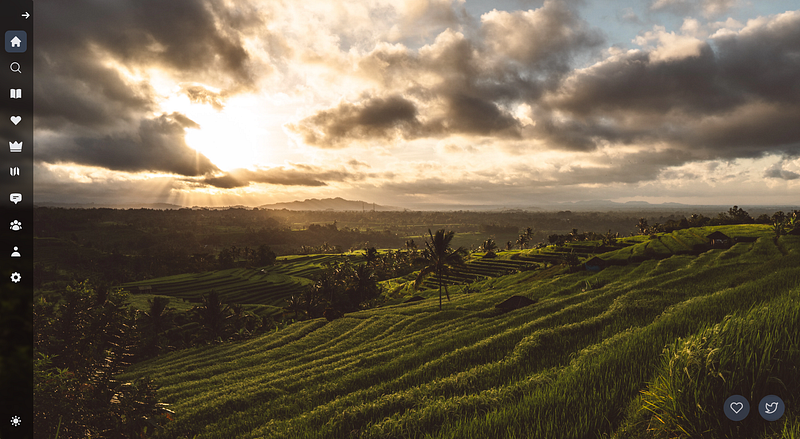
Wanderlust App Chrome Extension for Digital Nomads
Aspiring developers often ask about the path to creating a successful Chrome extension. It’s a thrilling journey filled with ups and downs, innovative concepts, and extensive testing. From the inception of a unique idea to earning recognition in the form of a Chrome Web Store badge, this story takes you through the exhilarating process of developing the popular browser extension — Wanderlust App.
JavaScript eBook
I’ve written an eBook on JavaScript that will take you from beginner to professional. Having been in your shoes moving to making over $200,000 per year in just a few years as a software engineer, I know exactly what it takes to get there. Check out the ebook now!
Recognized by the Chrome Web Store
The Chrome Web Store confers two distinct badges to extensions that meet specific standards. One badge is the Established Publisher badge, signifying the publisher’s reputable status, having not incurred any history of policy violations like copyright infringements or malicious code dissemination. The other is the coveted Featured badge — that’s what we’ll focus on today.
Featured Wanderlust App: A Chrome Extension for Digital Nomads & Travelers
Wanderlust App is the brainchild I am excited to share. It’s a Chrome extension designed to transform your browser’s new tab page into an inspirational haven, presenting stunning locations around the world to inspire wanderlust and give travel inspiration. This extension is the ideal tool for people that love to travel and find new destinations to visit.
Crafted to be minimally intrusive, Wanderlust App sits on your new tab page giving you a beautiful new location on every tab until you want to learn more about the location. It also gives you the ability to track your travels (travel list, places you’ve traveled to, and much more!) and even provide you with AI to plan the perfect trip or vacation. It’s compatible with several browsers including Chrome, Edge, and Firefox. Notably, Wanderlust App was recently bestowed with the Chrome Web Store’s Featured badge.
What Does the Featured Badge Mean?
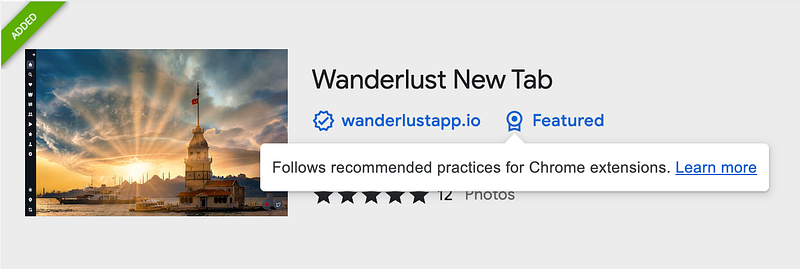
Wanderlust New Tab Extension — Featured Chrome Extension
The Featured badge is awarded to extensions that follow Chrome’s technical best practices and excel in terms of user experience and design. Each extension is evaluated manually by Chrome team members who pay close attention to:
-
Compliance with the Chrome Web Store’s best practices guidelines, including a quality user experience, usage of the latest platform APIs, and respecting user privacy.
-
A clear and helpful store listing page, complete with high-quality images and a comprehensive description.
Developing Wanderlust App, my first solo design project, was an intensely personal experience. It was not merely an engineering task; it required me to wear multiple hats and assume responsibility for the entire project’s success, which proved to be both challenging and exciting.
Behind the Scenes: Building Wanderlust App
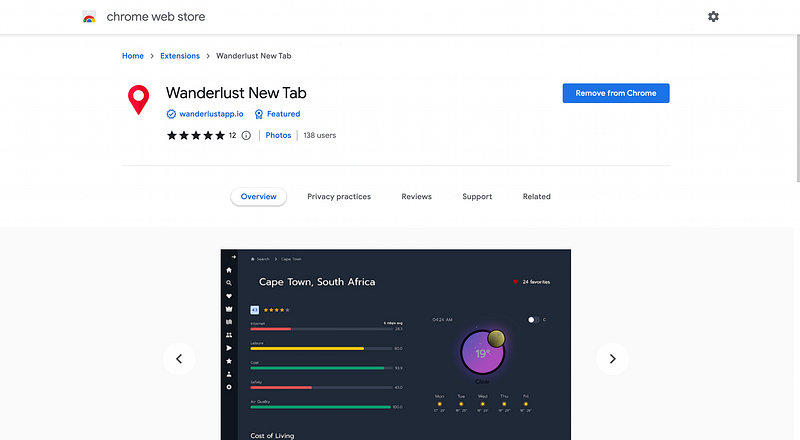
Wanderlust App Chrome Extension for Globetrotters
Initially, I designed Wanderlust App as if it were a standard web app. Keeping the design simple was vital to maintain a clean aesthetic. My design journey helped me realize that over-complicating features often led to confusion. The solution was to carefully plan and express my thoughts through a design tool, even though it was a new learning curve for me.
On the development front, Wanderlust App was built using React and NextJS, keeping everything else as close to vanilla as possible. I sought a balance between reinventing the wheel and relying too heavily on third-party scripts. The goal was to provide an optimal experience without users having to wait for the extension to load. In fact, Wanderlust App’s size, a mere 745KiB, ensures a swift experience compared to some heavier competitors.
The final product, Wanderlust App, is a fusion of simplicity, aesthetics, and efficiency, a fact acknowledged by the Chrome Web Store team.
You can enhance your browsing experience with the Wanderlust App extension here or you can add the chrome extension here. Join my journey by following me on Medium. If you found this account engaging, feel free to comment, clap, or share.
JavaScript eBook
I’ve written an eBook on JavaScript that will take you from beginner to professional. Having been in your shoes moving to making over $200,000 per year in just a few years as a software engineer, I know exactly what it takes to get there. Check out the ebook now!
Related reading
How to grow your chrome extension from 0 to 1000 users
Let’s take a deep dive into how you can grow your chrome extension to 1000 users through free and paid strategies.
SEO for Your Chrome Extensions
As technology continues to advance, Chrome extensions have become increasingly popular among users who want to enhance their browsing experience. With…
SEO for Your Firefox Extensions
As Firefox continues to be a popular browser choice among users, Firefox extensions have gained significant traction. With a wide range of extensions available…